先放链接:
https://easyclass.zhrhello.top
https://easyclass.zhrhello.top/randamer
https://easyclass.zhrhello.top/easycounter
易点名 & 易计票 通用更新
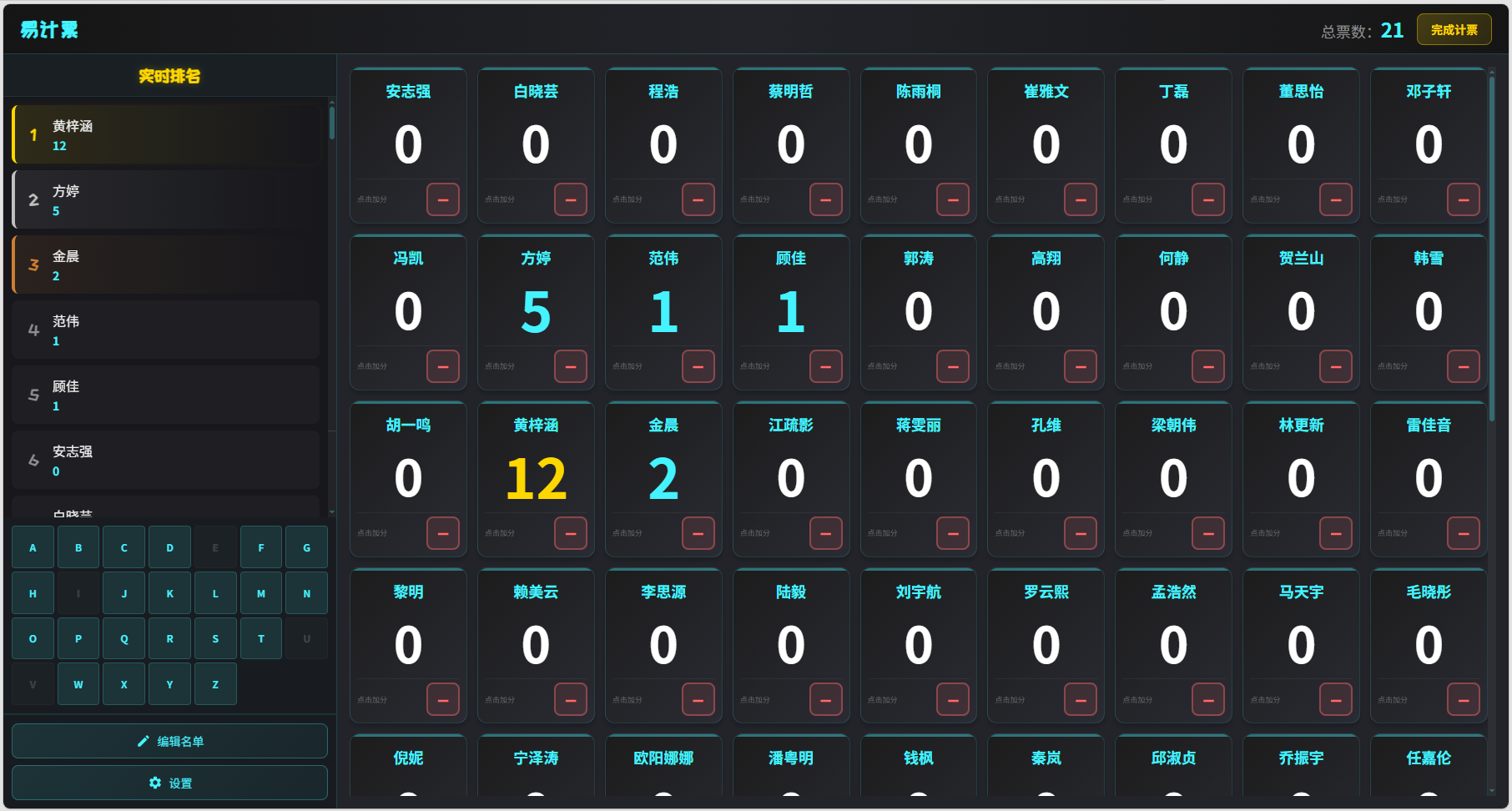
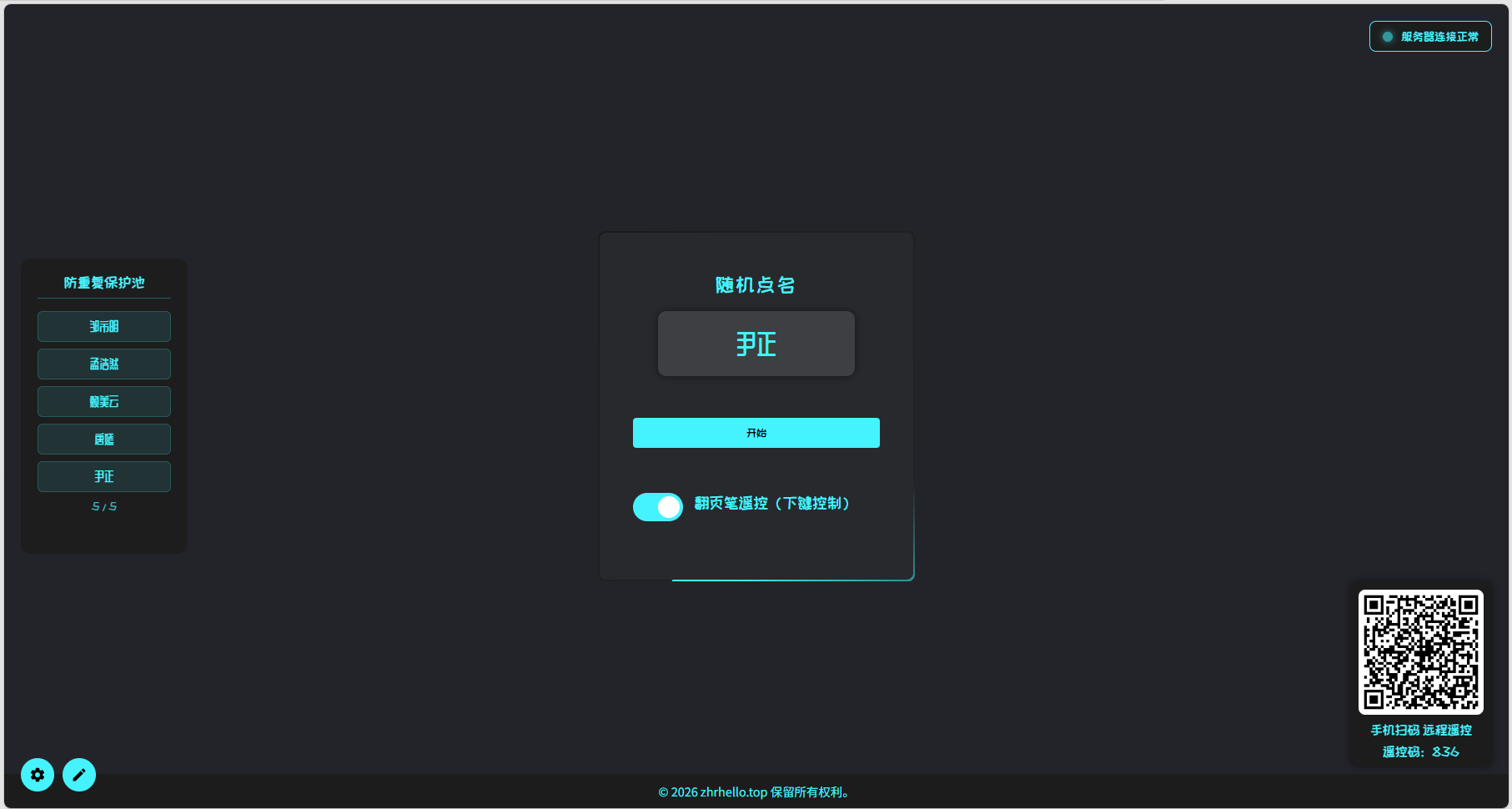
易点名 专项更新
- **连接优化:**优化了 WebSocket 自动重连机制,避免初次进入网站时就卡在加载 WebSocket 的状态。
易计票 专项更新
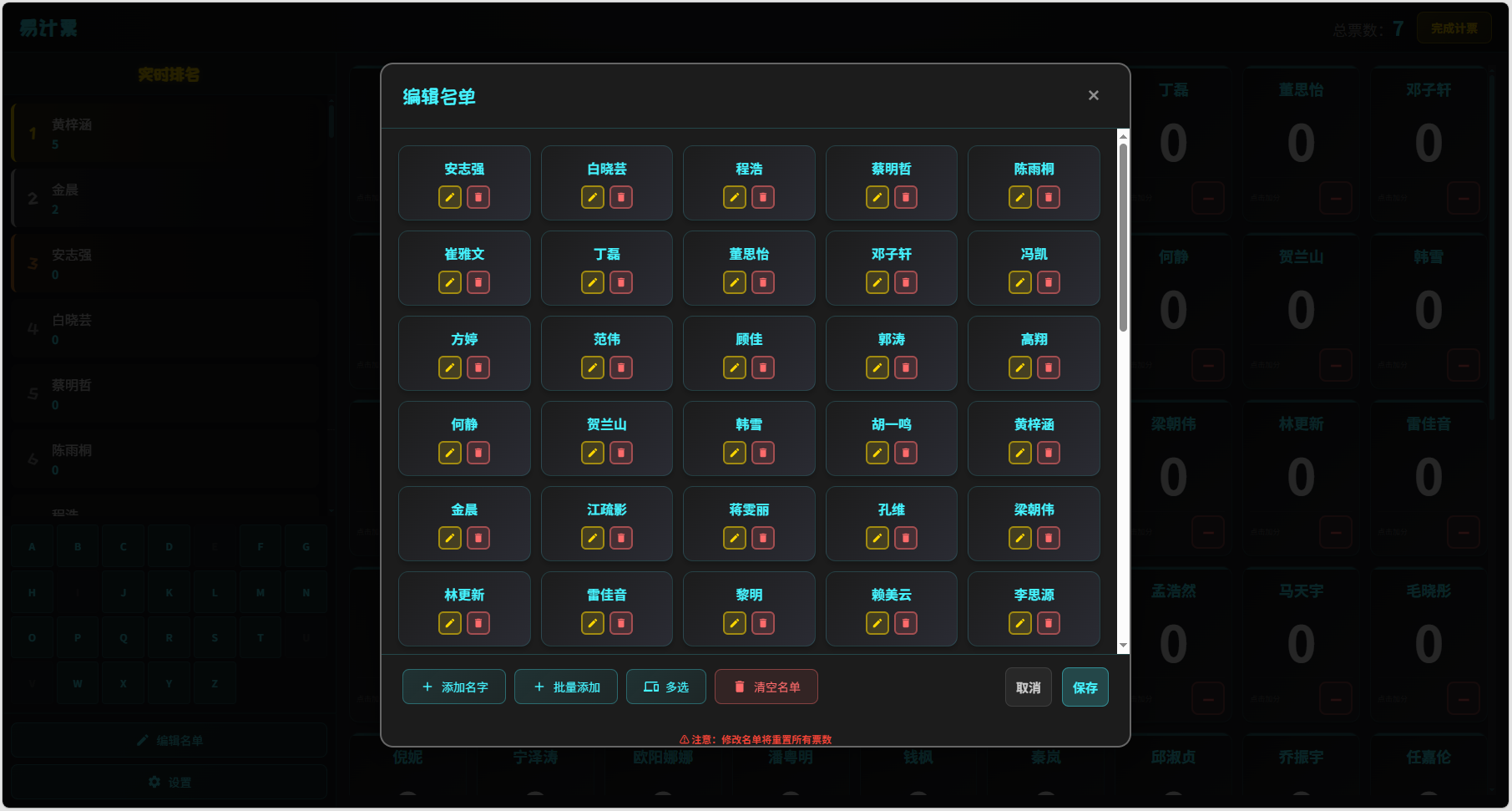
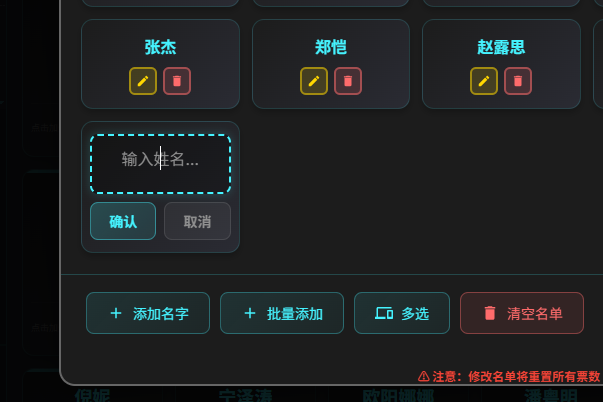
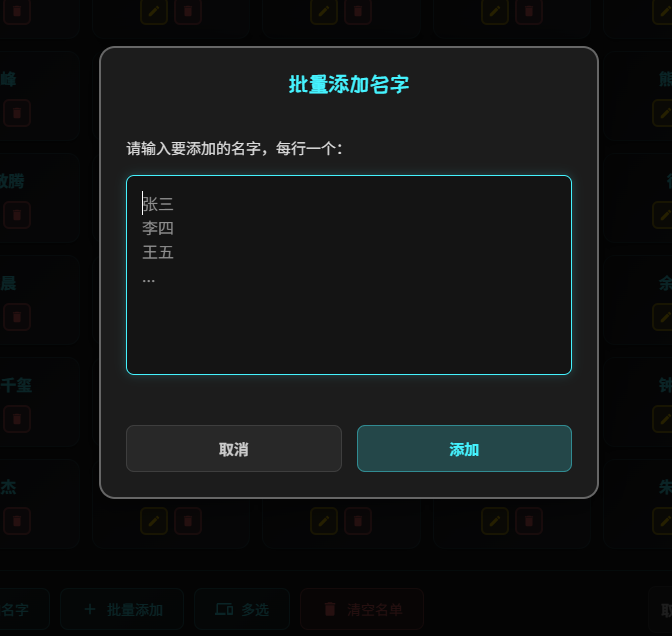
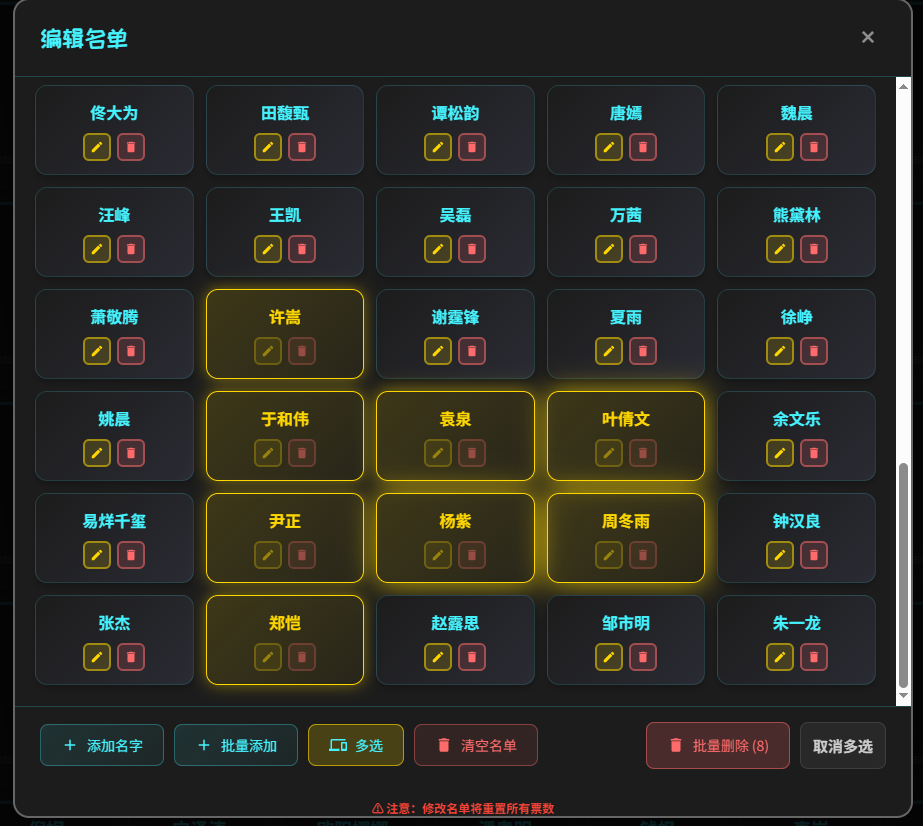
名单编辑重构:
- 由原来的大文本框编辑改为卡片式可视化编辑。
- 支持单个编辑、删除、添加。
- 支持批量添加(粘贴多行文本)。
- 支持多选删除。
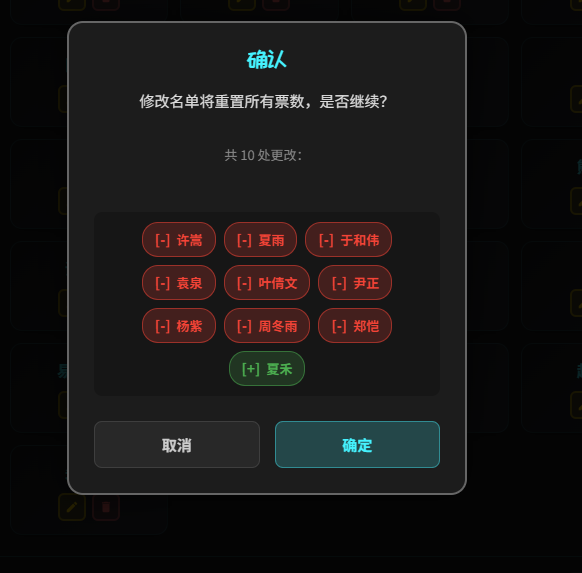
差异比较:
保存名单时附带差异比较功能,直观展示增减人员。
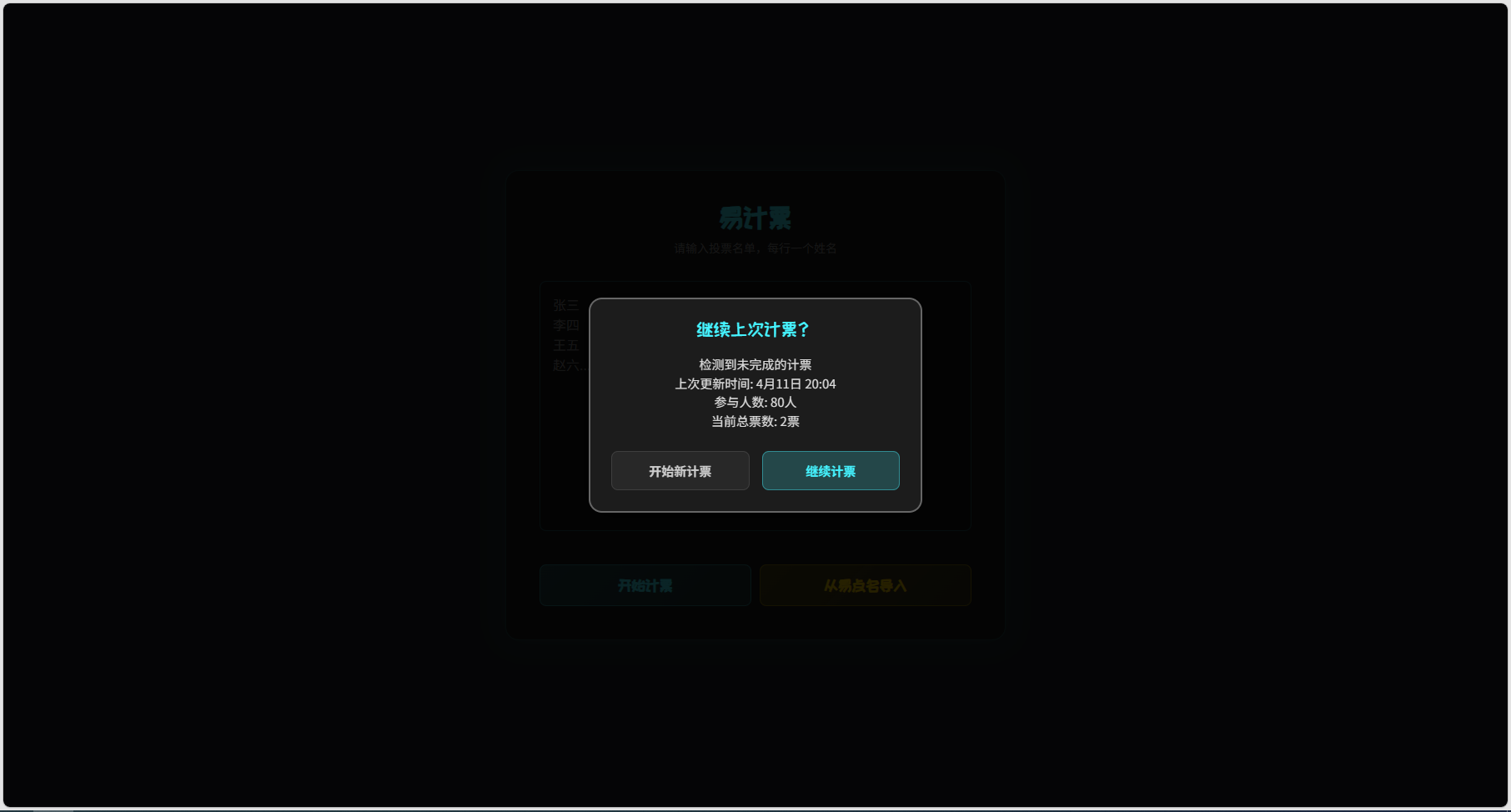
进度保存:
计票进度实时保存到浏览器本地存储,异常退出或刷新页面后可继续计票,不再丢失数据。
易系列工具名单预传
打开易系列工具时提前上传名单到EasyCore,获取 Token 后通过 URL 参数跳转。适用于其它软件外部跳转打开EasyClass工具集时附带名单
API 请求示例
接口地址:POST https://easyclass.zhrhello.top/easycore/api/upload_names_to_token
Content-Type:application/json
请求体:
{
"names": ["张三", "李四", "王五"]
}
响应:
{
"token": "123456789012"
}
跳转方式
打开易系列工具任意工具时携带 URL 查询参数如:
https://easyclass.zhrhello.top/easycounter?names_get_token=xxxxx
Python 调用 Demo
以下是一个基于 tk 的简单演示,读取本地 names.txt,获取 Token 再打开浏览器跳转到指定工具。
import tkinter as tk
from tkinter import messagebox
import requests
import webbrowser
import sys
import os
# 配置
API_URL = "https://easyclass.zhrhello.top/easycore/api/upload_names_to_token"
BASE_URL_MAP = {
"easycounter": "https://easyclass.zhrhello.top/easycounter",
"Randamer": "https://easyclass.zhrhello.top/randamer"
}
def get_names():
path = os.path.join(os.path.dirname(os.path.abspath(__file__)), "names.txt")
try:
with open(path, "r", encoding="utf-8") as f:
# 过滤空行
names = [line.strip() for line in f if line.strip()]
return names
except Exception as e:
print(f"Read names.txt error: {e}")
return []
def open_target(target_key):
names = get_names()
if not names:
messagebox.showerror("Error", "names.txt is empty or not found.")
return
payload = {
"names": names
}
try:
# POST请求
resp = requests.post(API_URL, json=payload, headers={"Content-Type": "application/json"})
resp.raise_for_status()
data = resp.json()
token = data.get("token")
if not token:
messagebox.showerror("Error", "No token received from server.")
return
base_url = BASE_URL_MAP.get(target_key)
if not base_url:
return
final_url = f"{base_url}?names_get_token={token}"
webbrowser.open(final_url)
except Exception as e:
messagebox.showerror("Request Error", str(e))
print(f"Request failed: {e}")
# 主窗口
root = tk.Tk()
root.title("调用EasyClass时提前预置名单-demo")
root.geometry("300x150")
label = tk.Label(root, text="选择一个应用")
label.pack(pady=10)
btn_frame = tk.Frame(root)
btn_frame.pack(pady=10)
btn_easy = tk.Button(btn_frame, text="EasyCounter", command=lambda: open_target("easycounter"), width=15)
btn_easy.pack(side=tk.LEFT, padx=10)
btn_rand = tk.Button(btn_frame, text="Randamer", command=lambda: open_target("Randamer"), width=15)
btn_rand.pack(side=tk.LEFT, padx=10)
root.mainloop()
欢迎反馈 Bug 或建议。